Enterprise AI permission readiness starts with separating what an employee can discover from what an employee can access. Microsoft documents that Microsoft 365 Copilot surfaces organizational data within the user's existing permissions. That makes overly broad access a rollout concern even when the assistant follows its documented access rules. Restricting discovery can reduce visibility; it does not, by itself, repair the underlying permissions.
Why can permission-respecting AI still reveal an oversharing problem?
An organization may have a document library that technically permits more employees to read sensitive material than its owners intended. Before AI assistance, people might not have known that the library existed. Easier retrieval and summarization can make that latent access more consequential.
Microsoft's Copilot privacy documentation says that Copilot surfaces organizational data to which individual users have at least view permission and uses the underlying controls for data access. This is a description of the product's documented behavior, not a finding from an independent test conducted for this article.
The practical distinction is between authorization as configured and authorization as intended. A system can respect the former without proving that the latter is correct. An inherited group, a broad sharing link, or an outdated access assignment may be the actual problem—not a permission bypass by an assistant.
For enterprise leaders, the question should therefore be more precise than “Does the assistant respect permissions?” Ask whether those permissions match the business purpose, the employee's role, and the information owner's current decisions.
How do discovery restrictions differ from access restrictions?
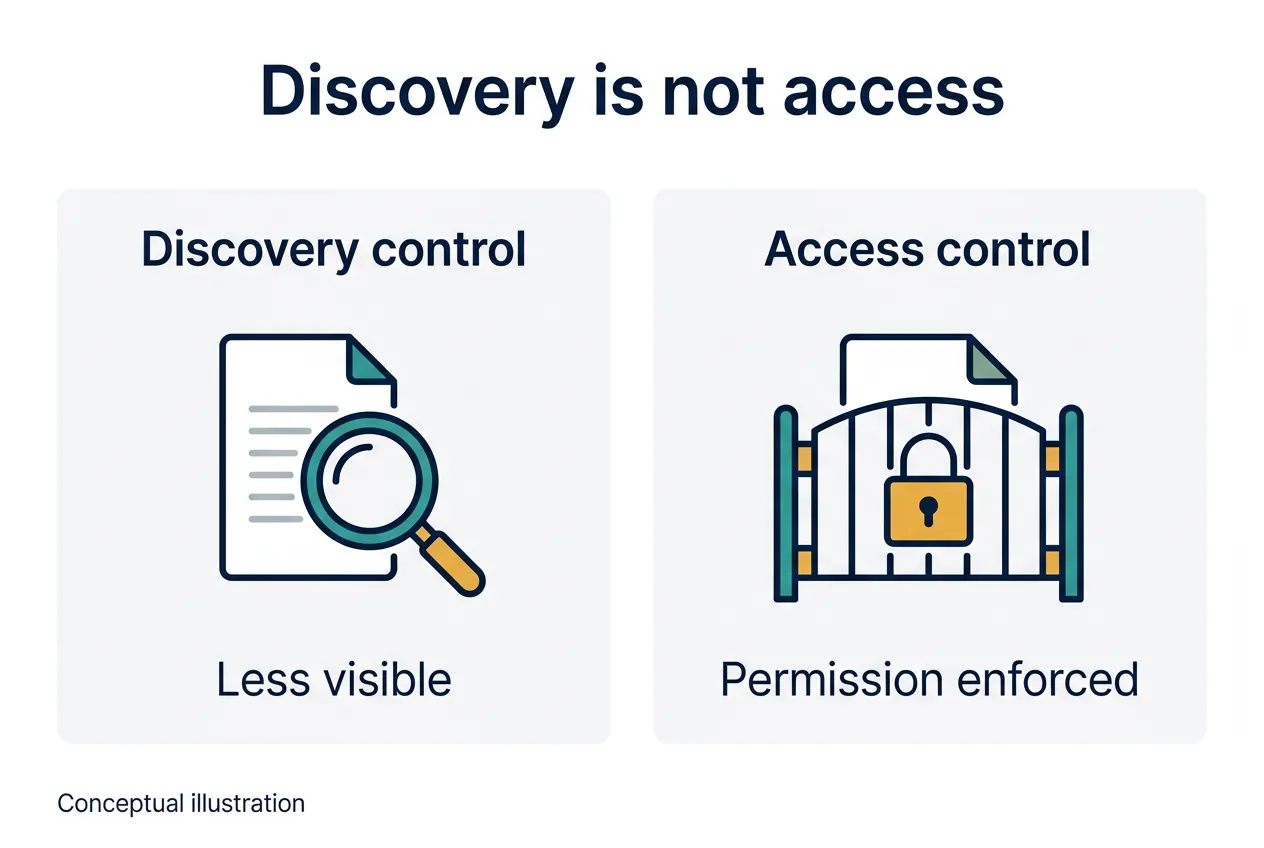
Conceptual illustration: reduced visibility and enforced authorization address different questions. This is not a product interface or proof of a security outcome.
Microsoft's Restricted Content Discovery documentation describes a SharePoint control that limits discovery in organization-wide search and Copilot discovery scenarios. Existing permissions remain unchanged. People with permission can still access the content directly, and the control is not a blanket prohibition on every interaction with an already accessible document.
That makes discovery restriction useful as a scoped visibility control. It should not be described as revoking a user's access, deleting content from every search index, or guaranteeing that the material cannot be used in an AI interaction.
Microsoft's Restricted Access Control documentation describes a different mechanism: an additional group-membership requirement for site access. A person needs both the underlying site or content permission and membership in the restricted-access group. Adding someone to that group does not automatically grant the underlying permission.
These controls are therefore not interchangeable:
| Control | Question it addresses | Important limit |
|---|---|---|
| Underlying permissions and sharing | Who has permission to open the content? | A broad grant can exceed the intended audience. |
| Restricted Content Discovery | Where is content surfaced through specified discovery experiences? | Existing access permissions remain unchanged. |
| Restricted Access Control | Does the person also belong to the permitted access group? | Membership alone does not grant content permission. |
The product details above come from current Microsoft documentation checked on October 24, 2026. Feature availability, licensing, scope, and configuration should be confirmed in the organization's own environment before implementation.
What should an enterprise decide before expanding AI access?
The following is an implementation recommendation derived from the documented distinction—not a vendor mandate or a claim that every organization needs the same configuration.
Begin with information ownership. A content owner should be able to identify the intended audience and explain why that audience needs access. An administrator can then compare that decision with the actual site, library, group, and sharing settings.
Prioritize repositories by consequence, not just by size. Employment records, acquisition planning, restricted customer files, financial forecasts, and legal work may merit different audiences and review paths. This article does not determine any organization's legal obligations, contractual duties, or privilege protection.
Then decide which problem each control is meant to solve. If the audience is wrong, repair access. If access is appropriate but broad discovery is undesirable, consider a discovery restriction within its documented scope. If an additional group boundary is needed, evaluate a restricted-access policy without mistaking it for a new permission grant.
Finally, connect the content decision to the workflow. A useful pilot defines which users, repositories, and tasks are included. It also identifies who can approve expansion, who owns an access exception, and what happens when a content owner changes the audience.
How should teams test whether the intended boundary holds?
A configuration screenshot is evidence of a setting, not evidence that every relevant user experience behaves as expected. A readiness review should test the business boundary using controlled accounts and non-sensitive test material.
Define an intended reader and a person who should not be able to read the material. Check ordinary file access as well as the AI-assisted experience relevant to the rollout. Where discovery restrictions are being used, distinguish search visibility from direct opening or an interaction with an accessible document. Otherwise, a team may mistake the absence of a search result for denial of access.
Record the expected behavior before testing. Capture the observed behavior, the account and access assignments used, and any propagation or configuration limitations reported by the service. Resolve an unexpected result before treating the affected repository as ready.
When revoking access, test again after the change is effective under the service's documented behavior. Review what the change actually covers. Do not assume that altering future retrieval also erases information someone previously downloaded, copied, or included in an earlier output.
No environment-specific tests were performed for this article. These are proposed acceptance checks, not claims that a particular deployment passed them.
What evidence should support a rollout decision?
A defensible implementation decision is easier when its evidence connects the business intent with the technical boundary. Keep the review understandable to the people responsible for the content—not only to administrators.
Useful records include:
- The content owner's approved audience and business purpose.
- The current permissions, memberships, and relevant sharing arrangements.
- The intended role of each discovery or access control.
- Expected versus observed behavior for representative allowed and disallowed users.
- Unresolved exceptions, the accountable owner, and the action required before expansion.
- The condition that triggers a fresh review, such as a changed audience or a new connector.
Avoid turning this into a one-time certification that never changes. Group membership, sharing practices, repositories, and connected workflows can evolve. The evidence supporting the original decision should make later changes easier to assess.
Where does competitive advantage come from?
The opportunity is not simply to slow a rollout until every historical file has been examined. It is to make access decisions explicit enough that teams can expand confidently where the boundaries are understood.
A scoped workflow with clear ownership and tested access is more actionable than a broad assurance that an assistant “respects permissions.” It gives the enterprise a repeatable way to decide what is ready, what needs repair, and who can release the next scope of work.
That is a strategic recommendation, not a measured claim of faster deployment or lower incident rates. The distinction matters: responsible implementation should not replace evidence with a reassuring slogan.
Frequently asked questions
Does permission-respecting AI solve oversharing?
No. Respecting configured permissions does not establish that the configured audience is appropriate. Content owners still need to review access decisions.
Does Restricted Content Discovery remove access?
No. Microsoft documents that existing permissions remain unchanged. The control limits specified discovery experiences rather than revoking permission to open the content.
Does restricted-access group membership grant permission?
No. Microsoft says that a user needs both the underlying site or content permission and membership in the restricted-access group.
Is this a complete security or legal compliance assessment?
No. This article explains a documented product distinction and offers general implementation recommendations. A deployment requires assessment of its own configuration, information, workflows, and applicable obligations.
Related reading
The ownership problem extends beyond access configuration. See Enterprise Shadow AI Governance for the procurement dimension, and Outside Counsel Guidelines and AI Billing for expectations surrounding outsourced legal work. Explore Prest0 for the platform's own information.
Sources and scope
Primary documentation checked October 24, 2026:
- Microsoft Learn, Data, Privacy, and Security for Microsoft 365 Copilot.
- Microsoft Learn, Restricted Content Discovery.
- Microsoft Learn, Restricted Access Control for SharePoint Sites.
Product behavior is attributed to the documentation. Rollout and testing recommendations are the author's analysis. This article makes no claim about a particular customer's deployment, guaranteed protection, or measured business improvement.
This information is for general informational purposes only and does not constitute legal advice.